WhatsApp Business response time: measure it, then fix it
Measure your WhatsApp Business response time from 40 of your own chats, put it next to your sales, and set up the free tools that cut the wait, in the right order.
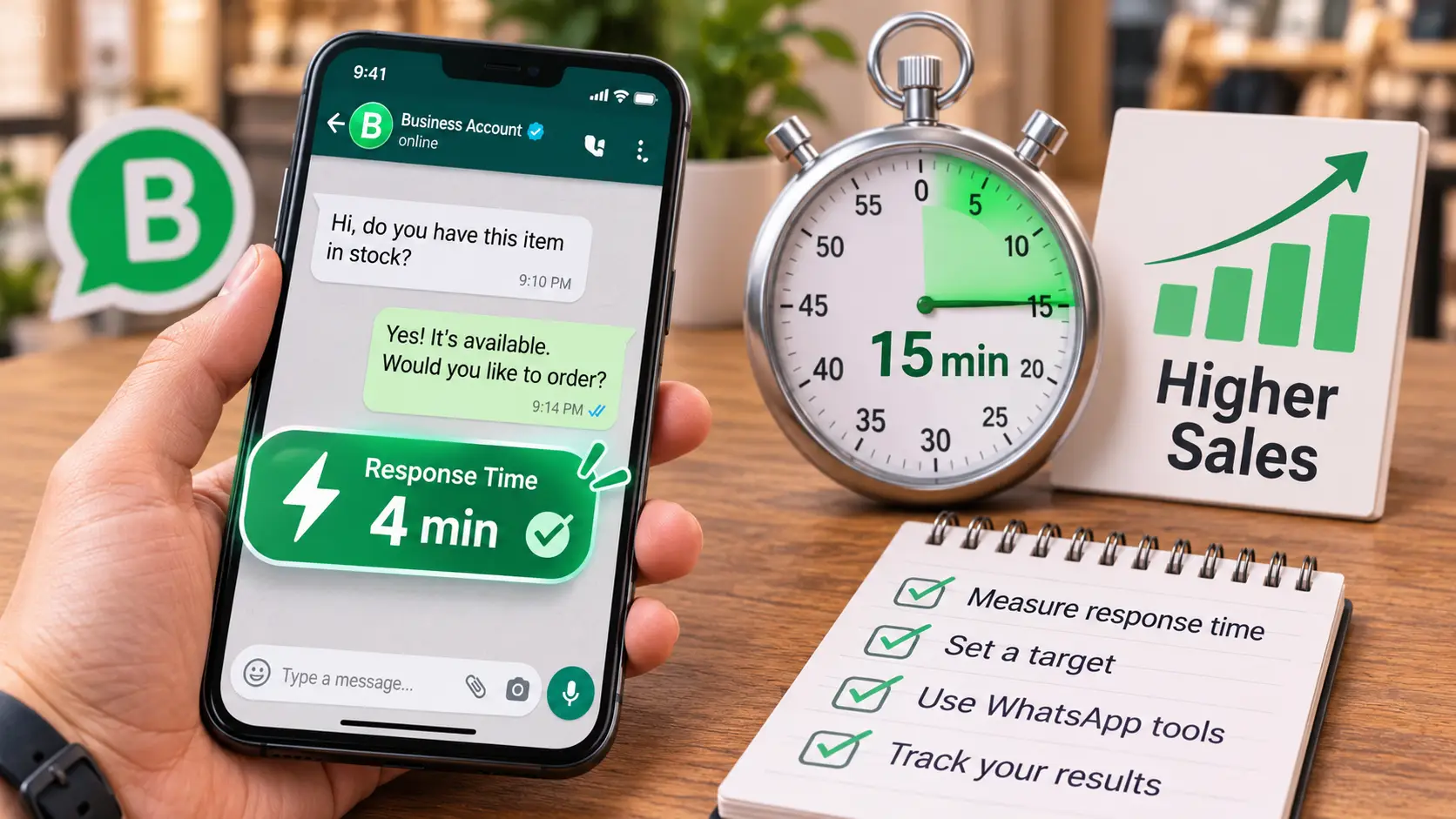
Your WhatsApp Business response time is one of the few marketing numbers you can measure today, for free, from your own phone. It is the time between a customer’s first message and the first real answer from your team. Most owners treat it as good manners. We treat it as a conversion metric, because the customer who asked at 9 pm is often asking two other shops at the same moment, and the first useful answer usually gets the sale. This guide shows you how to measure your response time from your own chats, how to put it next to your sales so you can see what slow replies cost, how to set a target your team can keep, and which WhatsApp Business tools cut the wait, in the order we would set them up.
In short
- WhatsApp Business response time is the time from a customer’s first message to the first reply that answers it; an automatic greeting or away message does not count.
- Measure it from 40 recent new chats and use the median, because one chat answered the next day can make the average look three or four times worse than a normal day.
- Group the same 40 chats by how fast they were answered and count the sales in each group: that shows what slow replies cost you, in your own numbers.
- Set business hours in your profile first, then a greeting, an away message on the “Outside of business hours” schedule, quick replies, and a second person on a linked device for the busiest hour.
Why response time is a conversion metric
A conversion metric is a number that tells you how many people moved one step closer to buying. Response time belongs on that list because it sits between two things you already pay for: the ad that brought the message, and the person who answers it.
When a customer writes to you from an ad, the ad has already done its work and spent its money. What happens next depends on the reply. If it comes in five minutes, the customer is still holding the phone and still interested. If it comes the next afternoon, they have usually asked elsewhere, and the money that brought them is spent either way. The ad paid for the message. The reply decides whether it becomes a sale.
You will find many pages online that quote one number for this, such as “reply in under five minutes and you sell 21 times more”. We could not trace those numbers to a study we could read, so we do not use them. Your own chats are a better source. They show your customers, your products and your team, and the next two sections turn them into numbers you can trust.
If you have read our article on messages from ads but no sales, you know the slow reply is one of four places where a chat usually stops, and how to work out your cost per sale. This article goes deeper into that first stop: how long your customers wait, and what the wait costs.
How to measure your WhatsApp Business response time from your own chats
You need your phone, a notebook or a simple spreadsheet, and about an hour. No software.
1. Pick 40 new chats
Open the chats from the last two weeks and take the 40 most recent ones that came from new customers: people asking about a price, a product, a booking. Skip existing customers, delivery questions and complaints. Forty is enough to see a pattern and few enough to finish in one sitting. If you get fewer than 40 new chats in two weeks, take a month.
2. Write down four things for each chat
| Chat | First message (day, time) | First real reply (day, time) | Wait in minutes | Sold or booked? |
|---|---|---|---|---|
| Example 1 | Sat 9:10 pm | Sun 11:40 am | 870 | No |
| Example 2 | Sun 1:05 pm | Sun 1:12 pm | 7 | Yes |
WhatsApp shows the time under every message and the date above each day of the chat, so you can read both times straight from the screen. A “real reply” is the first message from your team that answers what the customer asked. An automatic greeting, an away message or “one moment please” does not count. They are useful, and we will set them up below, but the customer is still waiting for the answer.
Also mark whether the first message came inside your opening hours or outside them. You will need that split in a minute.
3. Use the median, not the average
The median is the middle value when you sort the waits from shortest to longest. The average adds them all up and divides, so one very long wait pulls it up. Here is an example with eight chats, with waits of 3, 5, 6, 9, 12, 20, 45 and 600 minutes:
- The average is 700 ÷ 8 = 87.5 minutes, almost an hour and a half.
- The median is the middle of 9 and 12 = 10.5 minutes.
Both are true, and they tell you different things. The median says a normal chat waits about ten minutes. The 600 says one customer waited ten hours, probably overnight. So write down three numbers, not one: the median wait, the share of chats answered within your target (in this example, 5 of 8 were answered within 15 minutes, about 63%), and the longest wait.
4. Split opening hours from after hours
Work out the median twice: once for chats that came in while you were open, once for chats that came after closing. They are two different problems. A slow median during opening hours means the person on the phone has too much else to do. A long wait after hours means nobody is there, and the fix is a clear away message and a fast start the next morning. Count how many of your 40 chats fall on each side before you decide which problem to fix first.
Put it next to sales: your sale rate by reply time
Now use the last column. Group the 40 chats by how long they waited, and count how many in each group bought or booked. The sale rate in each group is sales divided by chats.
| First real reply came within | Chats | Sold or booked | Sale rate |
|---|---|---|---|
| 15 minutes | 14 | 5 | 36% |
| 15 to 60 minutes | 10 | 2 | 20% |
| 1 to 4 hours | 8 | 1 | 13% |
| Next day or later | 8 | 0 | 0% |
| All 40 chats | 40 | 8 | 20% |
These numbers are an example to show the arithmetic, not a study. Your own table may look steeper, flatter, or uneven, and that is the point of filling it in.
Then put money on it. Say you spent 4,000 pounds on ads in those two weeks and they brought these 40 chats. Each chat cost you 100 pounds to start. The eight chats answered the next day cost 800 pounds and sold nothing. Your cost per sale was 4,000 ÷ 8 = 500 pounds. If the next-day chats had sold at the rate of the 1 to 4 hour group, you would have had one more sale, and each sale would have cost about 444 pounds instead of 500, for the same ad budget.
Two honest warnings. First, 40 chats show a direction, not proof. Repeat the count every month and see if the pattern holds. Second, fast and slow chats are not always the same kind of customer: a chat answered at midnight may also be a customer who was only browsing. That is why the split by opening hours matters. If the pattern holds inside opening hours too, the reply time is doing the damage.
Set a response time target your team can keep
A target only works if the team can hit it on a busy day. So start from your capacity, not from a number you read online.
Go back to the 40 chats and look at the times of the first messages. Find your busiest hour: the hour of the day when the most new chats arrive. Then count how many arrived in that hour on your busiest day. Say it was 9 new chats between 8 and 9 pm on a Saturday.
Next, time a few ordinary first replies: the minutes your team spends reading the question, checking the price or the stock, and typing the answer. Say it is 4 minutes. Nine chats at 4 minutes each is 36 minutes of work arriving in one hour, on top of whatever else that person does at 8 pm. If the same person also serves customers in the shop, they will not keep up, and the evening chats wait.
A reasonable first target looks like this: “During opening hours, every new chat gets a real reply within 15 minutes. Chats that arrive after closing get a reply by 10 am the next day.” Change the minutes to fit your capacity. Then make sure the people on the phone know the target, and who covers the busiest hour.
WhatsApp Business tools that cut response time, and how to set an auto reply
The free WhatsApp Business app already has the tools you need, most of them under the Tools tab. Set them up in this order, because each one depends on the one before.
1. Business hours in your profile
Set your real opening hours in your business profile. Customers see them, and the away message can only follow your hours if they are set: WhatsApp offers the “Outside of business hours” schedule only after you add business hours to your profile (WhatsApp Help Center).
2. A greeting message that collects what you need
To set it up: Tools, Greeting message, turn on Send greeting message, edit the text and save. Under Recipients you can send it to everyone, to people who are not in your contacts, to everyone except some people, or only to people you choose. WhatsApp sends it when someone messages you for the first time, or after 14 days with no activity in their chat (WhatsApp Help Center).
Use the greeting to save your team time, not only to say hello. Ask for the detail your team always needs before it can answer: the product or service, the size, the area for delivery, or the day for a booking. When your team opens the chat, the answer is already there, and the first real reply is faster. For example: “Welcome. So we can answer you quickly, send the name of the item or a photo of it, plus your area for delivery.” The greeting itself does not count as a reply in your measurement.
3. An away message on a schedule
To set it up: Tools, Away message, turn on Send away message, edit the text, then choose a Schedule and the Recipients, and save. There are three schedules: Always send, Custom schedule, and Outside of business hours (WhatsApp Help Center). For most businesses the last one is right. Say exactly when you will reply, and keep that promise: if the message says 10 am, the first reply goes out by 10 am.
Both automatic messages need the phone to be connected to the internet to send, according to the same help pages.
4. Quick replies for the questions you answer every day
Quick replies let you save up to 50 messages and send any of them by typing “/” in a chat (WhatsApp Help Center). To add one: Tools, Quick replies, the plus button, write the message, set a shortcut, save. Start with your three most common questions, usually the price, the delivery or location, and the booking. We gave examples of what a good price reply contains in our first article, and ready replies for a sale week in our White Friday guide. Quick replies cut the minutes per chat, and that raises how many chats your busiest hour can absorb.
5. A “Waiting” list so no chat is forgotten
Create a label (WhatsApp is renaming labels to lists) called “Waiting for reply”, and add every chat you could not answer fully on the spot. You can have up to 20 labels (WhatsApp Help Center). Whoever starts the next shift opens that list first. A chat that was half answered and then forgotten is one of the easiest ways to end up in the “next day” row.
6. A second person on a linked device
If one person cannot keep up in the busiest hour, you do not need a second number. WhatsApp lets you link up to four devices to your main phone, such as WhatsApp Web or the desktop app on a computer at the counter, so two people can answer from the same account. Linked devices log out if the main phone is not used for more than 14 days (WhatsApp Help Center). Agree who answers which chats, for example by product or by the “Waiting” list, so two people do not reply to the same customer.
7. An AI agent: useful, but measure it the same way
Meta’s AI agent for the WhatsApp Business app, called Meta Business Agent, was made available globally in June 2026 (TechCrunch, 3 June 2026). It answers customers at any hour, learns from your past chats, your catalogue or your website, and can be tested in a test mode before you turn it on. You can step into any chat yourself (WhatsApp Business). If you do not see it under Tools, it may not be open for your account yet. Note that greeting messages turn off when the agent is linked.
An instant answer is only worth it if it is the right answer. Before you switch it on for every chat, run it in test mode with your ten most common questions, and then measure it with the same table: sale rate, not speed alone. If its chats sell less than the ones your team answers within 15 minutes, keep it for the night hours only.
Check your response time every week
Once the tools are set, the number only stays low if someone looks at it. Keep one row a week:
| Week | New chats | Median first reply, opening hours | Answered within target | After-hours chats answered by 10 am | Sales from new chats | Cost per sale |
|---|---|---|---|---|---|---|
| Week 1 | ||||||
| Week 2 |
You do not need all 40 chats every week. Ten new chats, picked from different days and hours, are enough to see if the median is moving. Once a month, repeat the full count of 40 with the sales column.
Then test it from the customer’s side. From a number your team does not know, send a normal question at your busiest hour and another one at 11 pm. Write down when each real answer arrived and what it said. This is the same check we run before any marketing work, because it shows what a new customer actually lives through (how we work).
When the median falls and the sale rate holds, your cost per sale falls with it, without a pound more in ads. If you want a second pair of eyes on your chats, our services start with exactly this kind of diagnosis, and a free consultation is a good place to bring your table. You will find more on replies, follow-up and measurement in Marketing Insights.
Questions owners ask
What is a good WhatsApp Business response time?
A good WhatsApp Business response time is the fastest one your team can keep on its busiest day. We could not find a published study we trust for one number. A practical starting target for a small business is a real reply within 15 minutes during opening hours and by 10 am for chats that arrive after closing, then adjust it with your own sales data.
Does an away message count as a reply?
An away message does not count as a reply when you measure response time, because the customer still has no answer to the question. It is still worth setting, because it tells the customer when the real answer will come. Measure the time from the customer’s first message to the first message from your team that actually answers it.
How can I see my response time in WhatsApp Business?
The WhatsApp Business help pages we checked describe no response-time report in the app. You can measure it yourself: take 40 recent new chats, write down the time of the customer’s first message and of your first real reply, and work out the median wait. It takes about an hour, and it is more useful than any single benchmark.
How do I set up an automatic reply in WhatsApp Business?
In the WhatsApp Business app, open Tools, then Away message or Greeting message, turn it on, write the text and save. For the away message, choose the schedule “Outside of business hours”, which appears once your business hours are set in your profile. The phone needs an internet connection for automatic messages to send.
Keep reading
-
Messages from ads but no sales? The leak is after the message
When ads bring messages but not sales, the ad usually did its job. Find where the sale stops in your own chats, fix it with WhatsApp's own tools, and measure what each sale costs.
-
How to choose a marketing agency in Egypt: 12 questions to ask
Twelve questions to ask before you sign with a marketing agency, the answer you want to hear for each, and how to check it yourself in Meta and Google.
-
White Friday marketing in Egypt: discounts won’t fix slow replies
A bigger White Friday discount brings more messages to the same team. Choose an offer by its margin, follow the 2026 consumer protection rules, and check replies, Maps hours and delivery before the weekend.