Messages from ads but no sales? The leak is after the message
When ads bring messages but not sales, the ad usually did its job. Find where the sale stops in your own chats, fix it with WhatsApp's own tools, and measure what each sale costs.

If your ads bring messages but no sales, the ad has usually done its part. People saw it, cared enough to write, and asked you something. The sale stopped later, inside the conversation. Before you change the audience, the design or the budget, read the chats. That is where the money goes missing, and this guide shows you how to find the exact spot in one afternoon, fix it with tools already inside WhatsApp Business, and measure what each sale really costs you.
What a messages ad is set up to do
An ad that opens WhatsApp, Messenger or Instagram Direct is built to start conversations, and Meta says so plainly. Its advice for click-to-message ads is to optimise for the number of conversations if starting chats is your priority, and for purchases if sales are your priority (Meta for Business). Before you judge the ad, check which of the two your campaign is set to.
So if your campaign is set up for conversations, a full inbox means the ad did what it was asked. Meta’s report then shows two numbers that matter here:
- Messaging conversations started: how many people started writing to you because of the ad. Meta counts a conversation as new when the person has not messaged you in the past seven days (Meta Business Help Centre).
- Cost per messaging conversation started: what you spent divided by those conversations (Meta Business Help Centre).
Neither number knows what happened after the customer wrote “hi”. Here is why that matters. Say you spent 6,000 EGP in a month and the report shows 300 conversations started. That is 20 EGP a conversation, which looks cheap. If 12 of those chats became sales, each sale cost you 500 EGP in ads. If 30 became sales, each sale cost 200 EGP. Same ad, same report, a very different business. The difference was decided inside the chats.
Four places a chat usually stops
When a sale dies in a chat, it tends to stop at one of four points. Each one looks small from the outside, and each one quietly throws away the ad money that brought the customer in.
1. No reply, or a late one
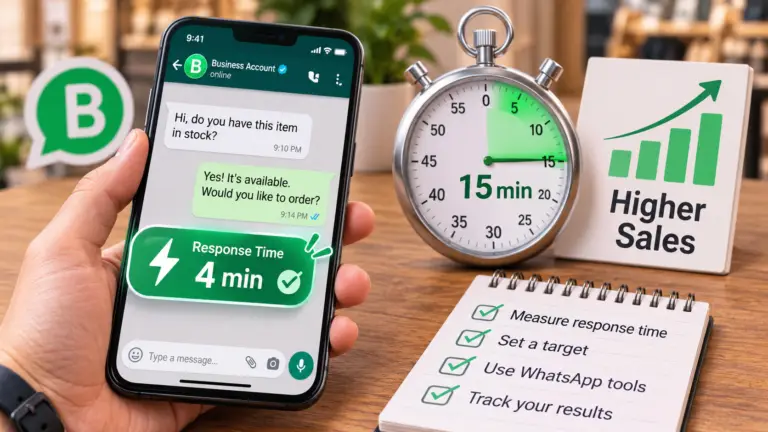
The customer asked at 9 pm and heard back the next afternoon. By then they had asked two other shops, and the first useful answer won. It is easy to miss when one person answers the phone between other work, and harder still at night and on Fridays, when people have time to browse.
How it looks in your chats: long gaps between the customer’s first message and yours, or a reply like “we’ll get back to you” followed by nothing for hours.
2. The price, and nothing else
They asked “how much?”, got a number, and the chat ended there. The price was not the problem. The reply gave them no reason to choose you over the next shop and no idea what to do next.
How it looks: a short exchange of two or three messages, the last one yours, with only a number in it.
3. Nobody asks a question back
Your team answered what was asked and stopped. Nobody asked when they need it, which size, for whom, or whether they want to book. A chat that only answers questions leaves the customer to do all the work of buying.
How it looks: the customer asked, you answered well, and the customer went quiet.
4. No follow-up
They wrote “I’ll think about it” or “I’ll check and tell you”, and nobody wrote again. Some of these people were close. They needed one more reason or one reminder at the right time.
How it looks: the customer’s message is the last one in the chat, and it is days old.
Check it in one afternoon
You do not need software for this, only your phone and a sheet of paper or a simple spreadsheet. Open the last 30 conversations that came from your ads. Skip existing customers and support questions, so you are only looking at people who were deciding whether to buy.
For each chat, write down three things: when the first message came in, when the first useful reply went out, and where the conversation stopped. A useful reply answers the question. “We’ll get back to you” does not count.
| Chat | First message | First useful reply | Where it stopped |
|---|---|---|---|
| 1 | Sat 9:12 pm | Sun 1:40 pm | No reply in time |
| 2 | Sun 11:05 am | Sun 11:20 am | After the price |
| 3 | Sun 4:30 pm | Sun 4:32 pm | No question back |
| 4 | Mon 2:10 pm | Mon 2:25 pm | No follow-up |
| 5 | Mon 6:45 pm | Mon 6:50 pm | Sold or booked |
The rows above show how to fill it in; your own 30 will tell the real story. Then count how many chats ended at each point. One point usually holds most of them, and that is the leak to fix first. If two points are close, start with the one nearer the beginning of the chat, since everything after it depends on it. A customer who never got a reply never reaches the price.
To keep doing this without the paper, use labels in the WhatsApp Business app. You can create up to 20 of them and add them to whole chats; in newer versions of the app they are called lists (WhatsApp Help Center). Make one label for each stop, plus “Sold”, and tag every ad chat when it ends. At the end of the week, the labels give you the same count in a minute.
What to fix first, by where it stops
A late first reply can cost you more than a weak ad. The ad already paid to bring that person to you, and the delay sends them somewhere else. The fixes below use features that are already in the free WhatsApp Business app, most of them under its Tools tab.
If chats stop with no reply
Give one person the job of answering ad messages, with set hours, and protect those hours from other work. Then set up two automatic messages:
- Greeting message: sent automatically when someone messages you for the first time, or after 14 days of silence in their chat (WhatsApp Help Center). Make it answer the question people ask most, instead of only saying hello.
- Away message: sent automatically when you are busy, on a schedule you choose, including “outside of business hours” once your hours are in your business profile (WhatsApp Help Center). Say when you will reply, and give the customer something to do meanwhile.
An away message that works: “Thanks for your message. We’re closed now and we’ll reply tomorrow from 10 am. Our prices and opening hours are in the catalogue on this profile. If you’d like to book, send the day that suits you and we’ll confirm first thing in the morning.”
If chats stop at the price
Write one reply your team sends every time, with three parts: the price, the one detail that makes it worth paying, and a clear next step. Save it as a quick reply. The app lets you store up to 50 of them, and anyone on the phone can pull one into a chat by typing “/” (WhatsApp Help Center).
A price reply for a clothing shop: “This dress is 1,450 EGP. The fabric is a heavy cotton that keeps its shape after washing, and we have it in sizes S to XL. Would you like me to keep one for you to try today? We’re open until 10 pm.”
A price reply for a clinic: “The first consultation is 400 EGP and takes about 30 minutes with the doctor. We have openings on Tuesday at 5 pm and Wednesday at 7 pm. Which one suits you?”
The prices here are only examples. Write yours with your real numbers and the detail your customers care about most.
If nobody asks a question back
Add one question to every reply that moves things forward: when, which one, for whom. Pick the question that brings the customer closer to buying, and make it easy to answer.
- A salon: “Is it for an occasion? Tell me the date and I’ll check who’s free.”
- A training centre: “Are you looking for the morning or the evening group?”
- A furniture shop: “Do you have the room’s measurements? I can tell you which size fits.”
A customer who answers a question is still in the conversation, and you now know what they need.
If nobody follows up
Write once more, the next day, with something useful rather than “any news?”. The size they asked about is back; the appointment they wanted is still free; here is a photo of the piece in another colour. Once is enough. Chasing every day loses the trust you built, and some customers will simply mute the chat.
Label these chats “Follow up” when the customer says they will think about it, and go through that label every morning. It takes ten minutes.
Measure it every week
Fixes only count if the numbers move. Keep one small sheet with a row for each week:
| Week | Ad spend | Conversations started | Sales from ad chats | Cost per conversation | Cost per sale |
|---|---|---|---|---|---|
| Example | 1,500 EGP | 75 | 5 | 20 EGP | 300 EGP |
Ad spend and conversations started come from Meta’s report. Sales come from your “Sold” label, because Meta’s report cannot see what happened in the chat. Divide spend by conversations for the cost per conversation, and spend by sales for the cost per sale. The second number is the one that tells you whether the ads pay for themselves.
When you fix a leak, the cost per conversation stays about the same and the cost per sale drops. That is how you know the fix worked and the ad did not just get lucky that week.
When more ad budget makes sense
Raise the budget once the path from message to sale holds: replies come in your set hours, every price reply has a next step, and someone follows up. Until then, more money brings more messages that stop at the same point, and your cost per sale stays where it was.
Judge the ads by what one sale cost you, not by what one message cost. When sales become the priority and you can record them, Meta’s own advice is to optimise for purchases rather than conversations. That is a step for later. The chats come first, because no setting in Ads Manager can answer a customer at 9 pm.
The ad, the reply, the follow-up and the visit are one path, and the leak can sit anywhere on it. That is how we work: we look at the whole path before anyone spends more. If you want the full picture for your business, our services start with a written diagnosis of where your customers get lost.
If you’d rather start small, bring ten of your chats to a free consultation. We’ll look at them with you and name the place where your customers stop. You can read who we are first, or send us a message with your question.
Keep reading
-
WhatsApp Business response time: measure it, then fix it
Measure your WhatsApp Business response time from 40 of your own chats, put it next to your sales, and set up the free tools that cut the wait, in the right order.
-
How to choose a marketing agency in Egypt: 12 questions to ask
Twelve questions to ask before you sign with a marketing agency, the answer you want to hear for each, and how to check it yourself in Meta and Google.
-
White Friday marketing in Egypt: discounts won’t fix slow replies
A bigger White Friday discount brings more messages to the same team. Choose an offer by its margin, follow the 2026 consumer protection rules, and check replies, Maps hours and delivery before the weekend.